# PII Data Detection Monitors

Telmai's PII Data Detection feature enables identification of Personally Identifiable Information (PII) within monitored attributes. This functionality helps organizations proactively manage data privacy risks by detecting and alerting PII exposure, ensuring compliance, and enhancing data governance.

<figure><img src="/files/yj4HOf0OnxKJpnX7pbqS" alt=""><figcaption></figcaption></figure>

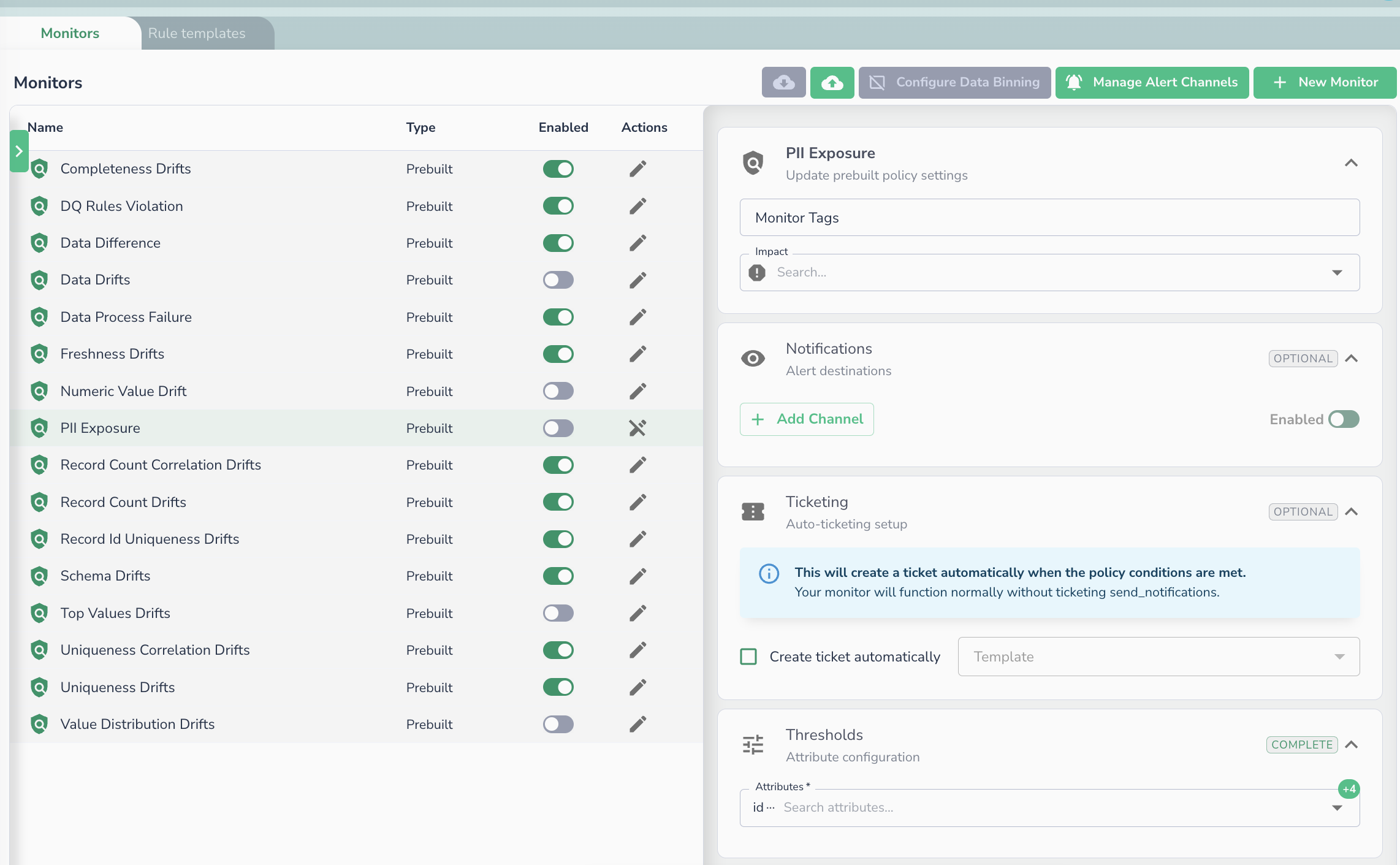
To enable PII data detections, in **Alerting Monitors** page:

1. Select the **PII Exposure Monitor**.
2. Enable the policy (disabled by default).
3. Optionally, limit the scope to specific attributes for focused detection.

[Learn more about Managing Monitors](/telmai/monitoring-data/monitors-management.md)<br>

### What happens when PII data is detected

If Telmai detected the presence of PII data, you will see created alerts and incidents similar to below image:

<figure><img src="/files/Zijgo59qxW5LudGeDnvq" alt=""><figcaption><p>In the picture above it detected PII Exposure in attribute “comment 2“. By clicking on the attribute name it will navigate to Investigator page to inspect values which were detected as violations</p></figcaption></figure>

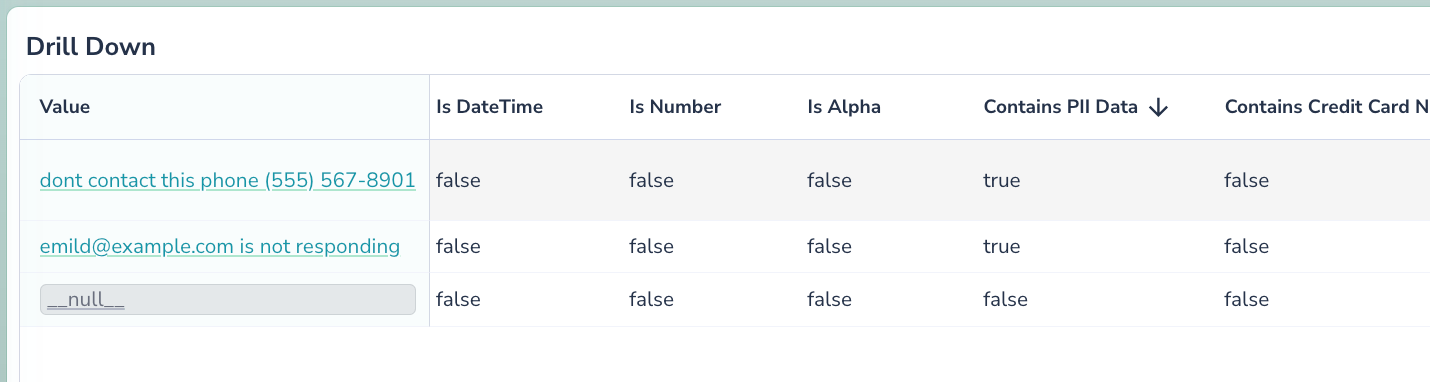
You can also learn more about what PII data Telmai detected by navigating to the Investigator page. The Values table will show you true and false values for detections as “Contains PII”, “Contains Phone”, etc.<br>

<figure><img src="/files/c4pfgDrAkbb7yODVcDz1" alt=""><figcaption><p>In the example above Contains PII field displays true for 2 of the values, which means it contains PII data. Same for other fields, representing other classes of PII Data, ex. Credit Card Number, Phone etc.</p></figcaption></figure>

## PII Data Validation Rules <a href="#pii-data-validation-rules" id="pii-data-validation-rules"></a>

Telmai's rules engine supports custom validation and remediation of PII data violations. This includes actions like segregating PII-exposing records using [Data Binning](/telmai/remediation/data-binning.md).

To learn more about creating these rules, please visit our [Record Validation Rules ](/telmai/monitoring-data/user-defined-monitors/record-validation-rules.md)documentation

## Related Documentation

* [User-defined Monitors](/telmai/monitoring-data/user-defined-monitors.md)
* [Monitors Management](/telmai/monitoring-data/monitors-management.md)
* [Incident Portal](/telmai/monitoring-data/incident-portal.md)

<br>


---

# Agent Instructions: Querying This Documentation

If you need additional information that is not directly available in this page, you can query the documentation dynamically by asking a question.

Perform an HTTP GET request on the current page URL with the `ask` query parameter:

```
GET https://docs.telm.ai/telmai/monitoring-data/pii-data-detection-monitors.md?ask=<question>
```

The question should be specific, self-contained, and written in natural language.
The response will contain a direct answer to the question and relevant excerpts and sources from the documentation.

Use this mechanism when the answer is not explicitly present in the current page, you need clarification or additional context, or you want to retrieve related documentation sections.