> For the complete documentation index, see [llms.txt](https://docs.telm.ai/telmai/llms.txt). Markdown versions of documentation pages are available by appending `.md` to page URLs; this page is available as [Markdown](https://docs.telm.ai/telmai/connect-to-data/data-connections/mysql.md).
# MySQL
Connect Telmai to a MySQL database hosted on-prem or in the cloud.
## Creating a connection
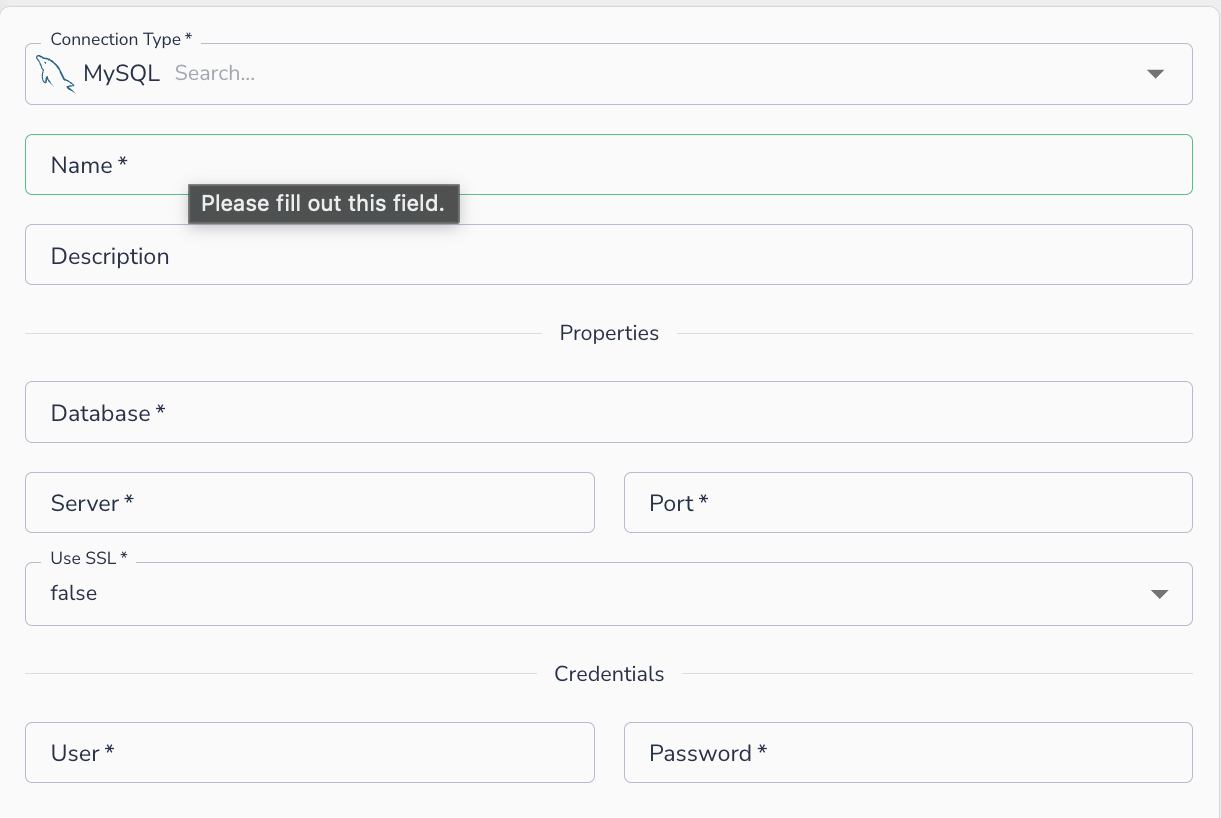
To connect to MySQL, provide the following details:
1. **Name**: A display name for this connection
2. **Description**: Optional description
3. **Database**: The database name to connect to
4. **Server**: The hostname or IP address of the MySQL server
5. **Port**: The port MySQL is listening on (default: `3306`)
6. **Use SSL**: Whether to require an SSL connection (`true` / `false`)
7. **User**: The username
8. **Password**: The password
MySQL connection form
{% hint style="info" %}
In order to connect to a privately hosted instance, the customer will need to whitelist the IPs from Telmai. Please reach out to Telmai support for the updated list of IPs for whitelisting.
{% endhint %}
## Connecting an asset
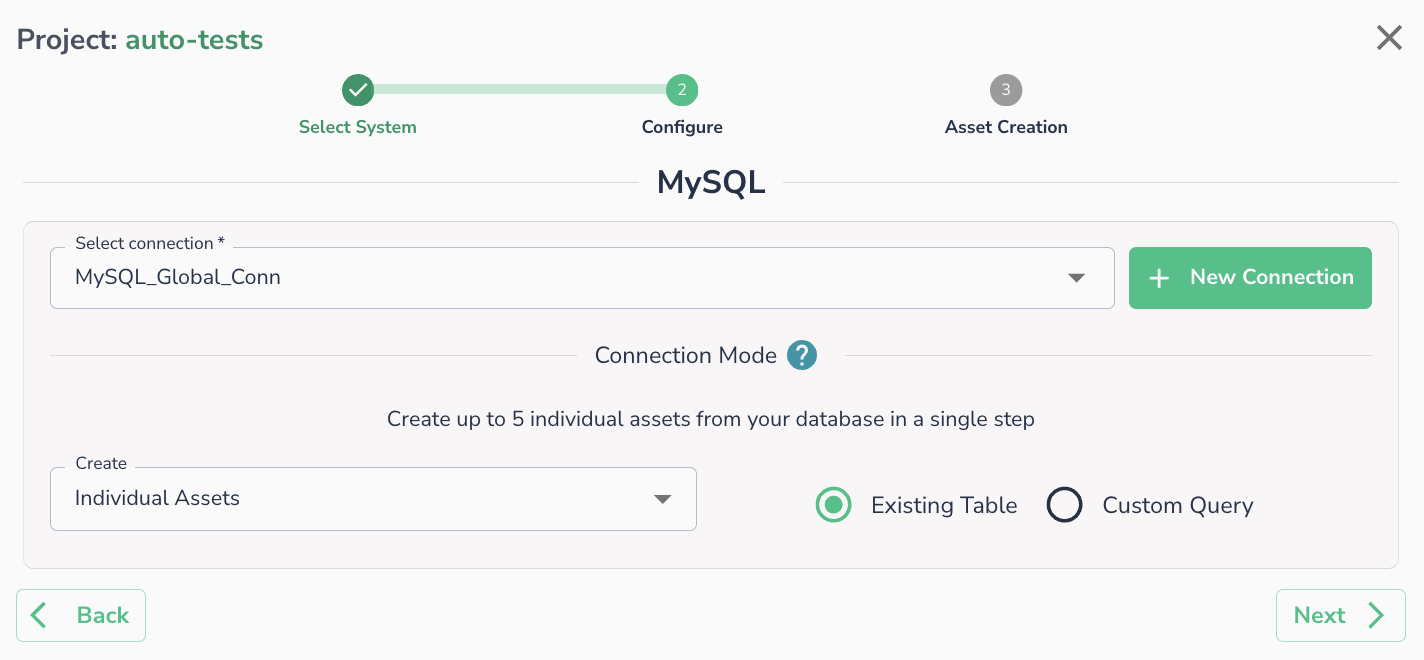
Once a connection is defined, you can start using it to create assets. Select an existing connection (or create a new one), then choose whether to create assets from an **Existing Table** or a **Custom Query**.
MySQL asset configuration step
{% hint style="info" %}
Please ensure that your environment has whitelisted [Telmai IP list](/telmai/api-reference/telmai-ip-list.md).
{% endhint %}